blueoculus website

streamlining navigation on an industrial design agency's website.

roles

UX research

interaction design

visual design

information architecture

streamlining navigation on an industrial design agency's website.

roles

UX research

interaction design

visual design

information architecture

streamlining navigation on an industrial design agency's website.

roles

UX research

interaction design

visual design

information architecture

01.

introduction

01.

introduction

background

blueoculus is a design agency founded in 2008 by Jungbae (JB) E, a freelance designer and manufacturer of physical products and art pieces.


since its launch, blueoculus's website has been the main way for JB to showcase his past work to potential clients. however, with the site content and usability becoming outdated, he felt that the website needed an uplift.

background

blueoculus is a design agency founded in 2008 by Jungbae (JB) E, a freelance designer and manufacturer of physical products and art pieces.


since its launch, blueoculus's website has been the main way for JB to showcase his past work to potential clients. however, with the site content and usability becoming outdated, he felt that the website needed an uplift.

project goals

with a short timeframe, i was contracted to redesign the blueoculus website to promote usability and add new content, focusing on the site's home page and individual project pages.

project goals

with a short timeframe, i was contracted to redesign the blueoculus website to promote usability and add new content, focusing on the site's home page and individual project pages.

02.

generative research

02.

generative research

talking to users

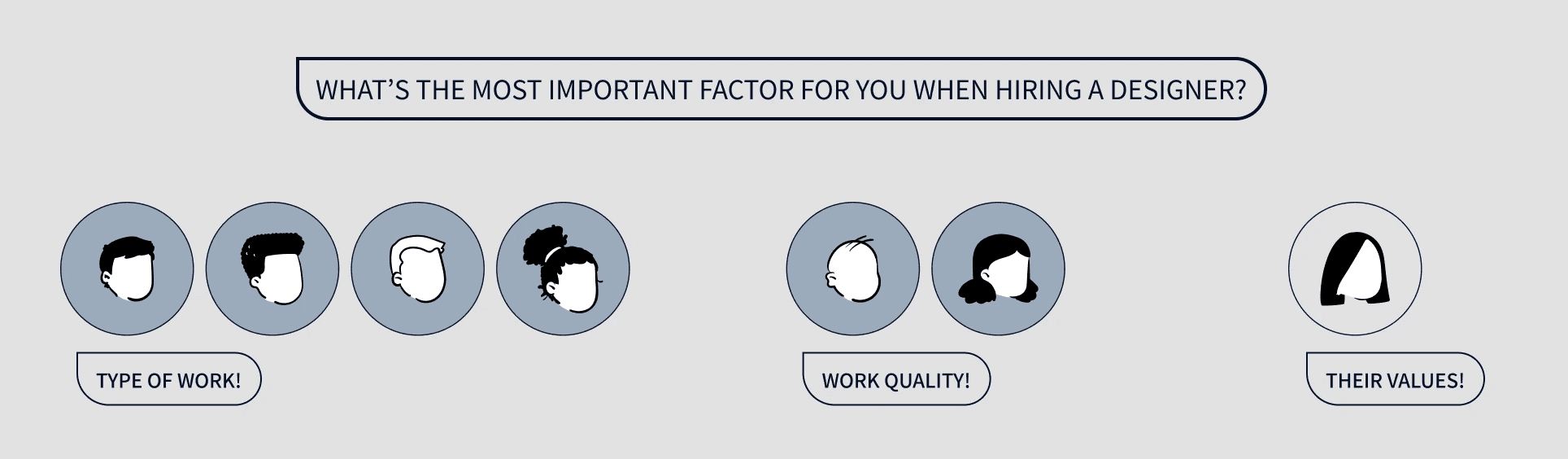
to understand clients' perspectives, i decided to conduct user interviews with people who had hired freelance designers in the past.


among the interviewees, 6 of 7 stated that they found the specialty or quality of someone's past work to be the most important factors when deciding who to hire - as assessing past work was the easiest way to gauge someone's capabilities.
understanding competitors

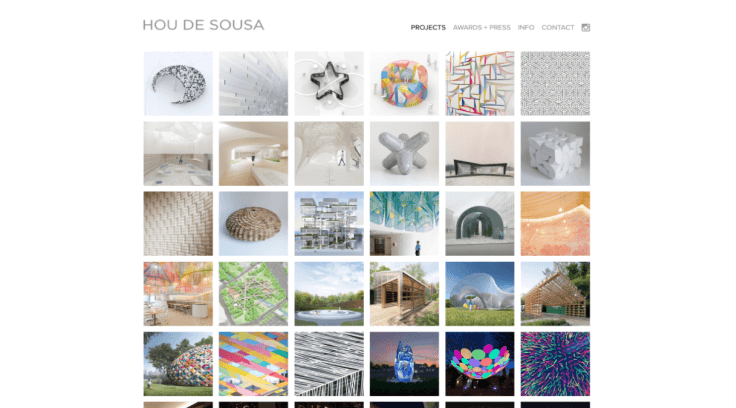
to take a closer look into what makes for easy and efficient site navigation, i conducted a brief analysis of other design agencies. among the competitors, all had a very flat site structure, with their work readily and attractively displayed on their home page.
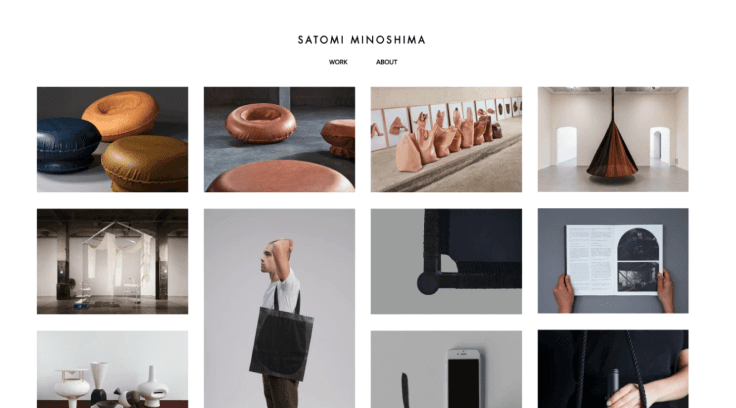
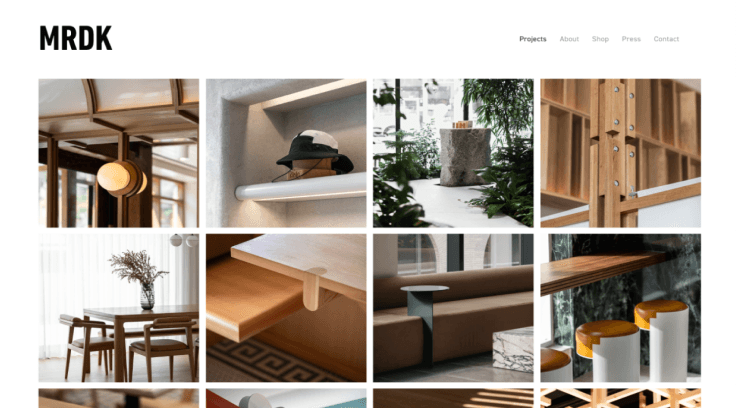
with these research findings in mind, it became clear that past projects needed to be readily visible and available to potential clients.
03.

ideation

03.

ideation

finding solutions

most of the 12 projects on the current site were four pages deep, and categorized by who the client was rather than the type of work itself.


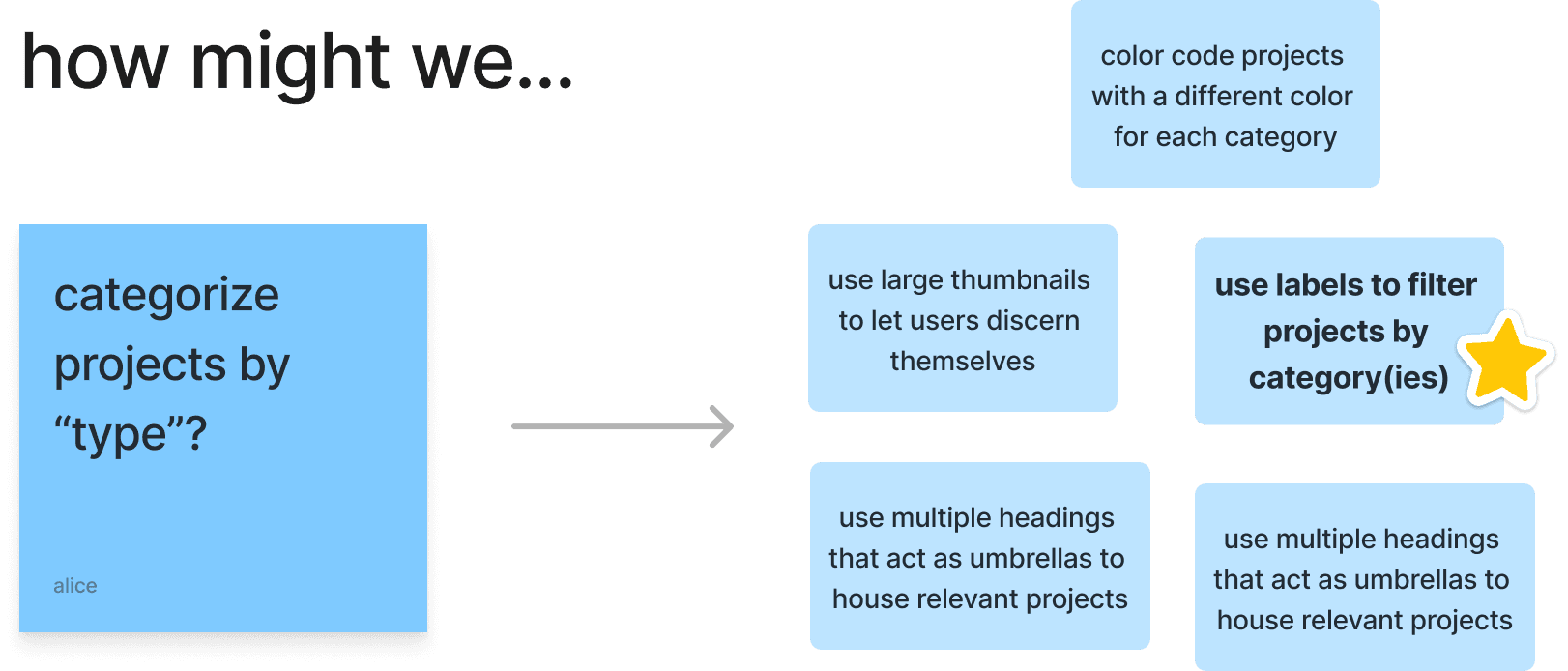
similar to competitors' websites, i wanted to try displaying all projects on the homepage - but i also wanted to explore ways to factor in what type of work these projects were as well.

finding solutions

most of the 12 projects on the current site were four pages deep, and categorized by who the client was rather than the type of work itself.


similar to competitors' websites, i wanted to try displaying all projects on the homepage - but i also wanted to explore ways to factor in what type of work these projects were as well.

through brainstorming, i found a solution: by using labels to filter projects right on the homepage, site visitors would be able to look only at projects serving their interests or needs.

through brainstorming, i found a solution: by using labels to filter projects right on the homepage, site visitors would be able to look only at projects serving their interests or needs.

site architecture

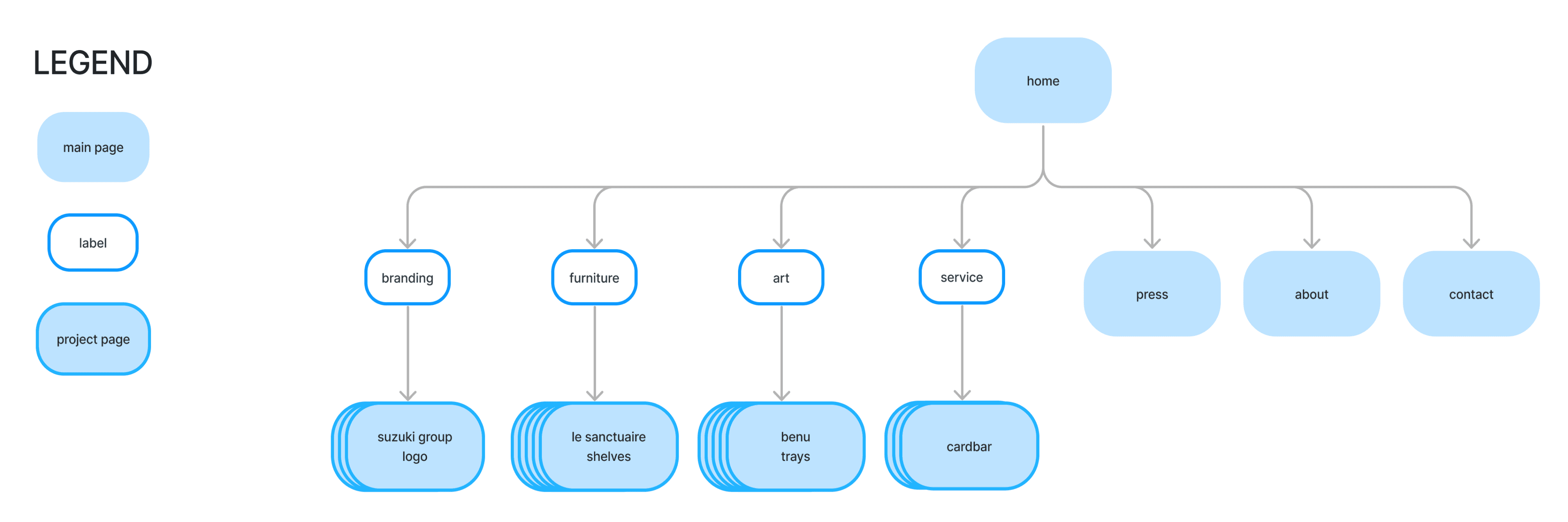
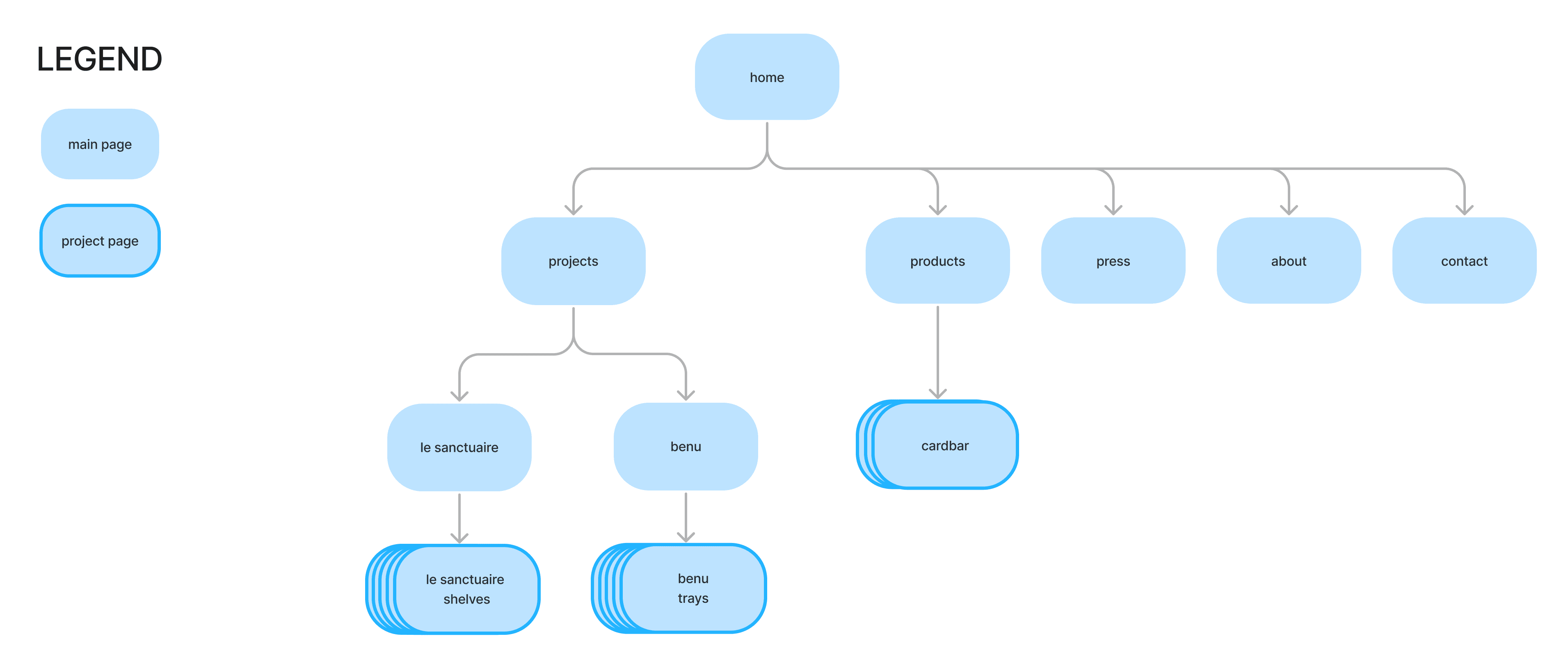
with a clear solution in mind, i found that the projects fell into one of four categories: branding, furniture, art, or service. these would serve as the new filtering labels.


i then recreated the new sitemap using these labels.

site architecture

with a clear solution in mind, i found that the projects fell into one of four categories: branding, furniture, art, or service. these would serve as the new filtering labels.


i then recreated the new sitemap using these labels.

original sitemap
new sitemap

04.

design

04.

design

visualizing my idea

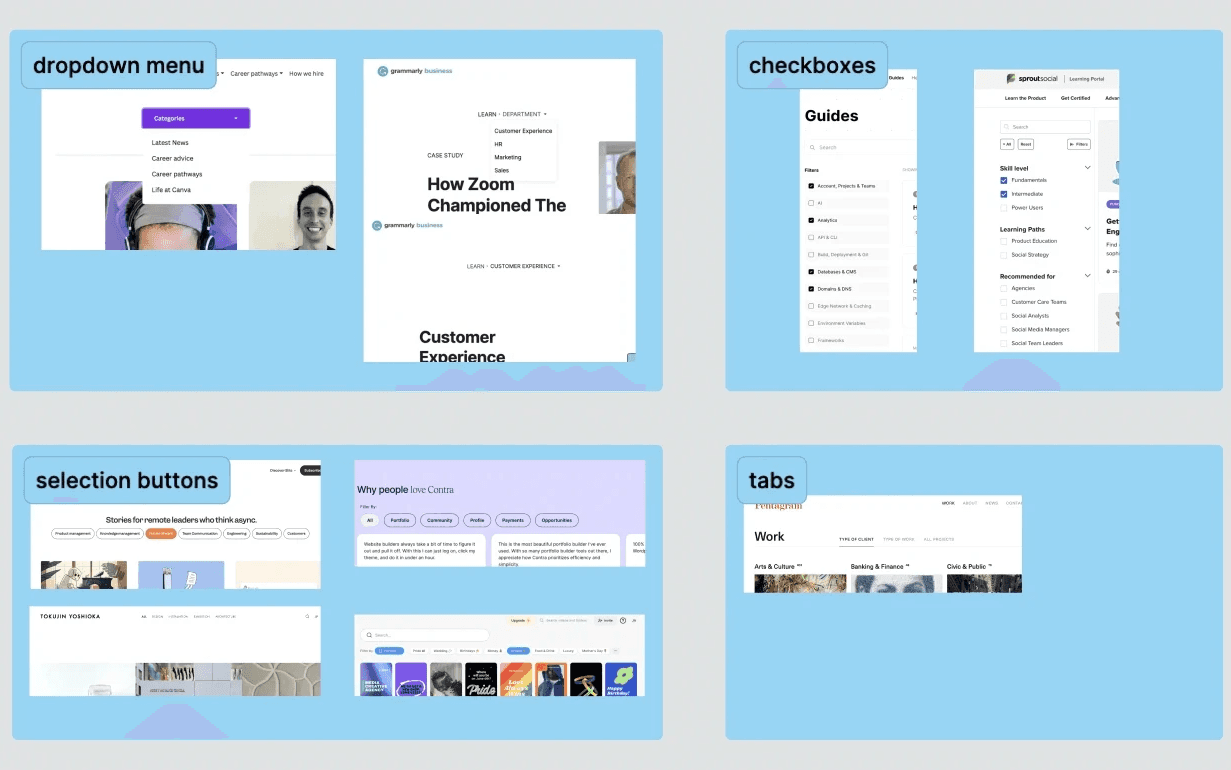
with the new site organization figured out, it was time to visualize. i began by researching common design patterns for filtering content, like dropdown menus, buttons, and tabs.

visualizing my idea

with the new site organization figured out, it was time to visualize. i began by researching common design patterns for filtering content, like dropdown menus, buttons, and tabs.

design patterns – filters

wireframing

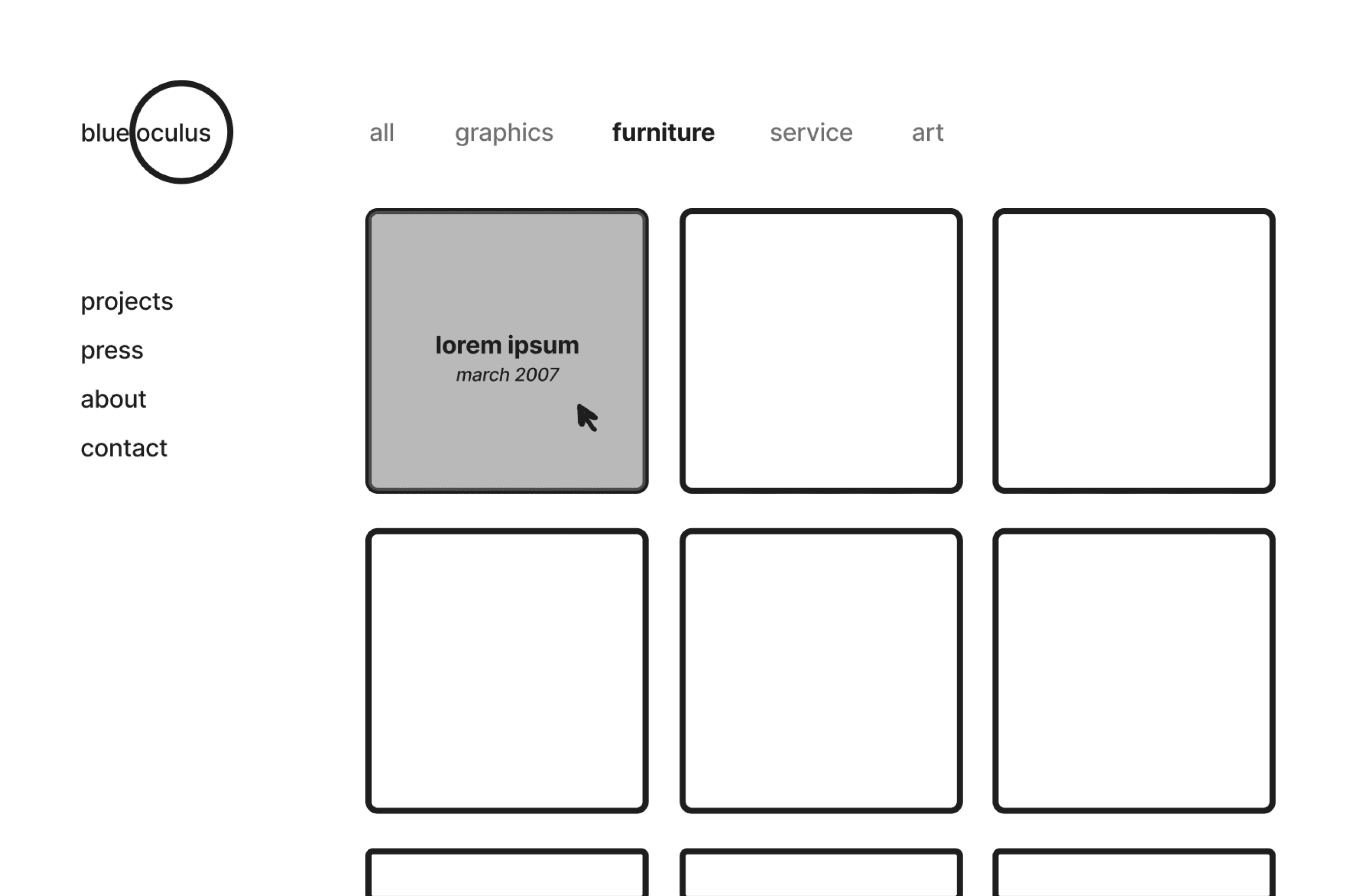
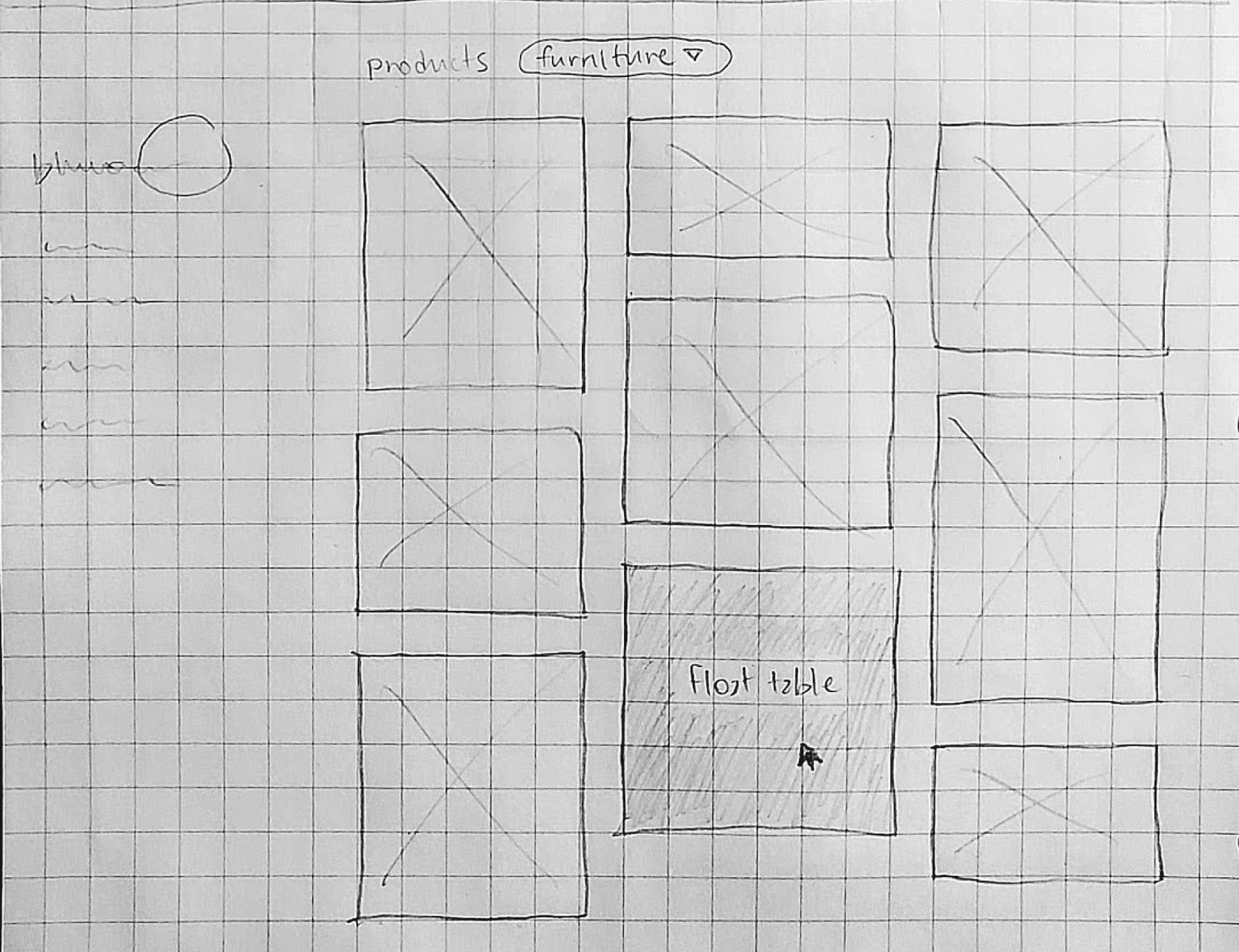
i then began sketching out my ideas for the home page, which would contain the new labeling feature, as well as the individual product pages.

wireframing

i then began sketching out my ideas for the home page, which would contain the new labeling feature, as well as the individual product pages.

wireframes

home page iterations

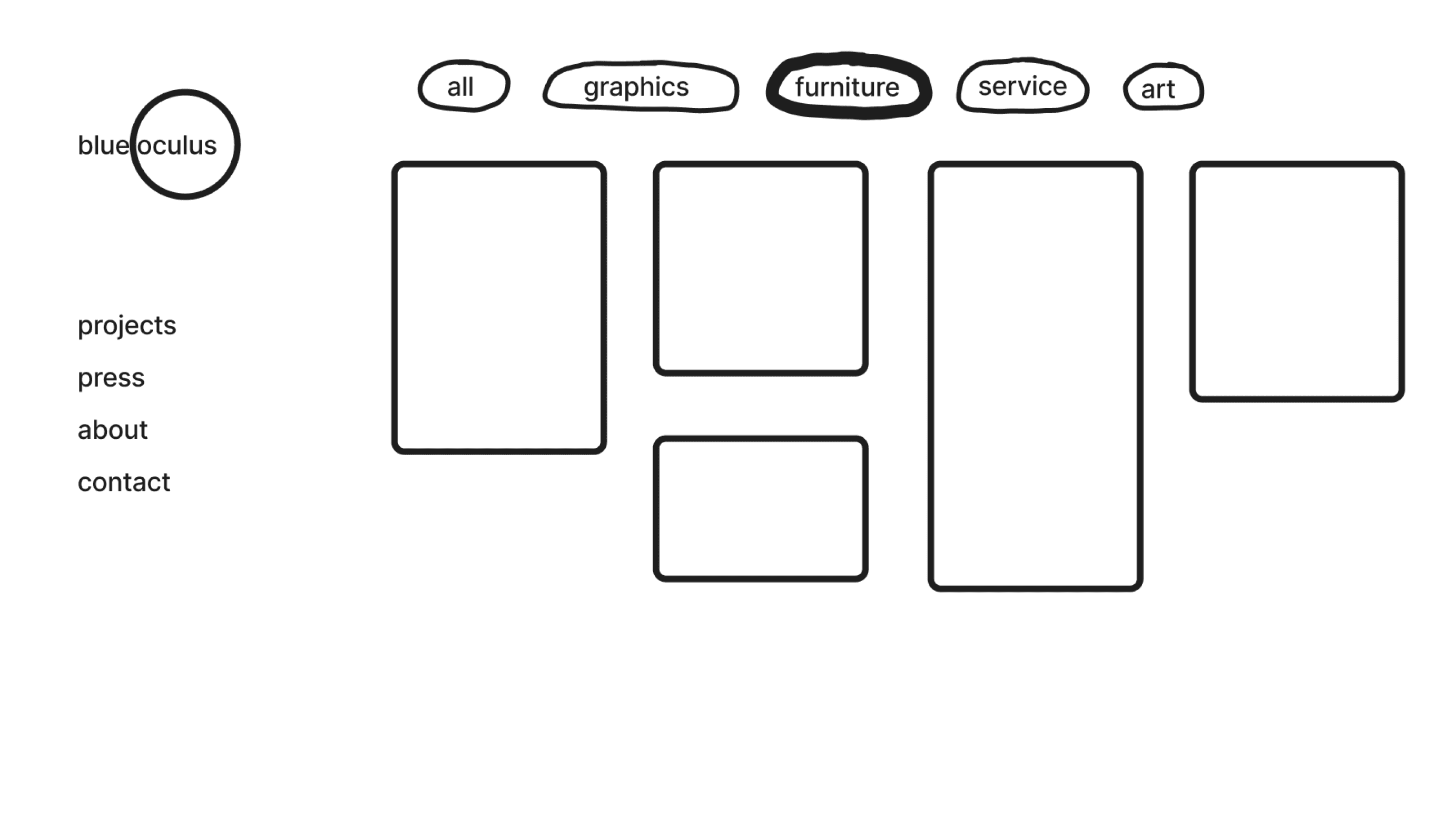
i explored a few ways to depict the filtering labels via sketch, and my client liked the simplicity of selection buttons in the form of plain words the best.
product page iterations

i made only minimal changes to the product pages: i added a photo carousel at the top to browse photos, and a way to navigate to other projects at the bottom.
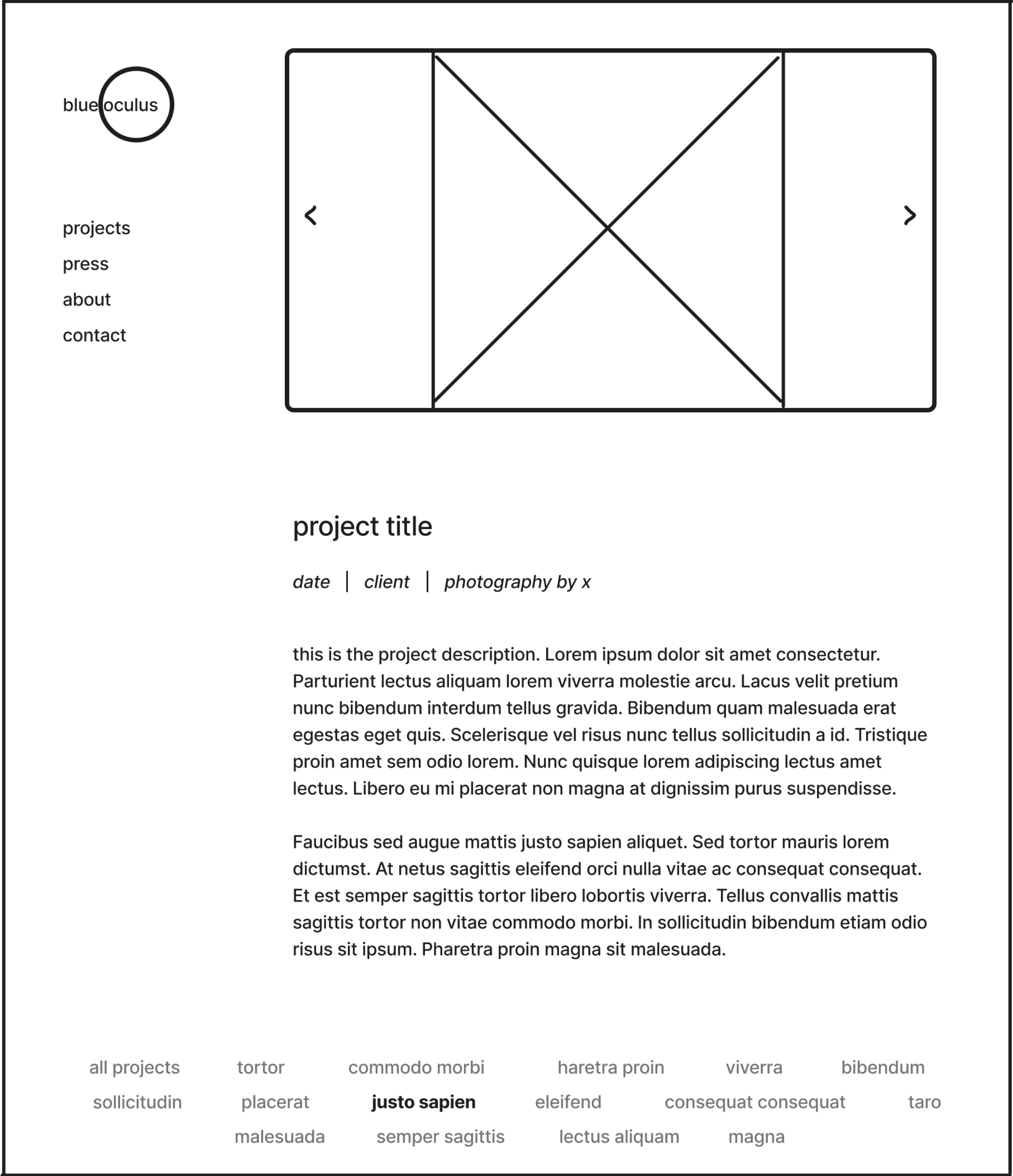
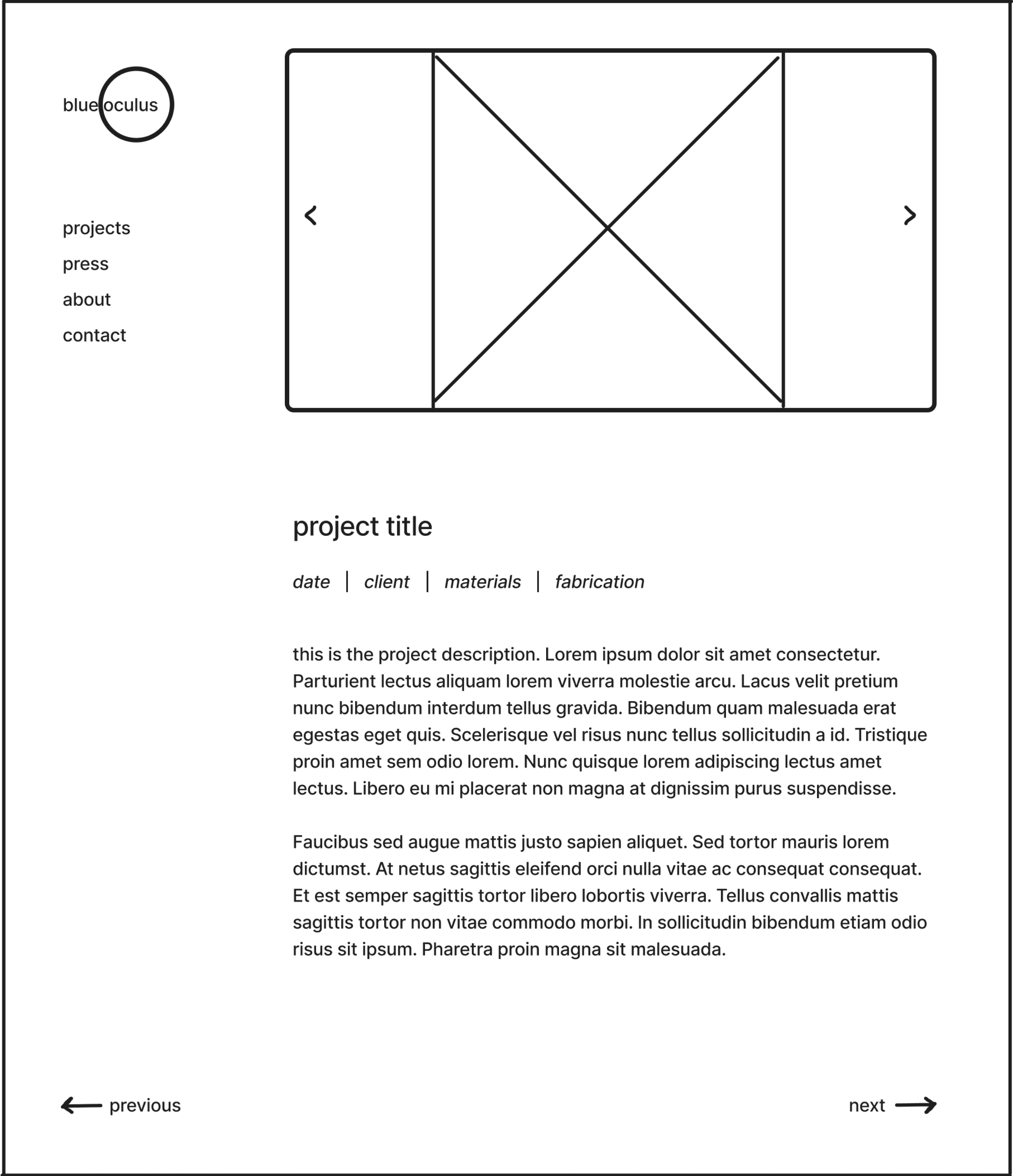
finally, i began recreating my sketches in Figma, starting with the home page and then moving to the project pages. once all of the elements were in place, i connected the elements together to create a clickable, high-fidelity prototype.
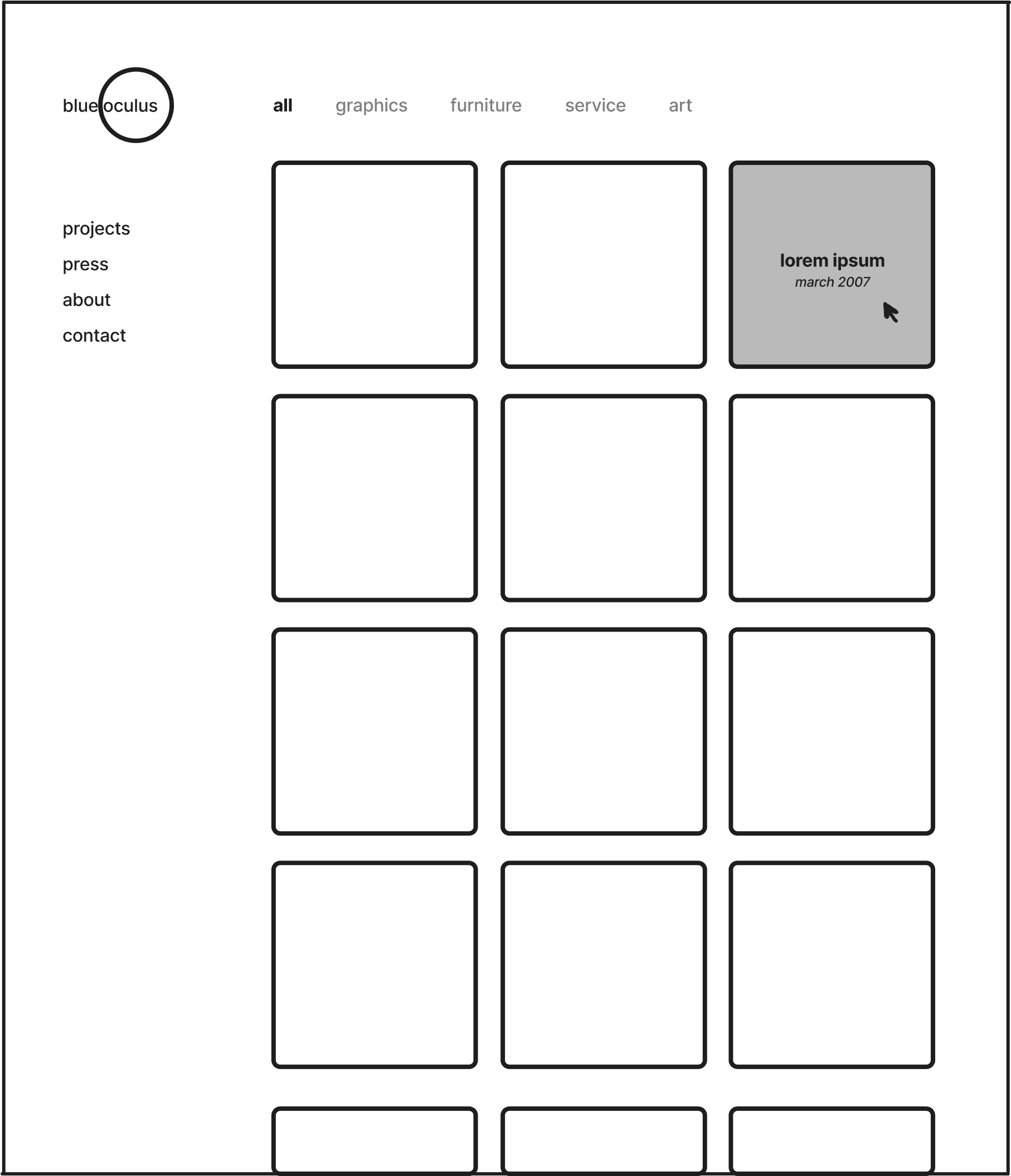
home page
product page
05.

formative research

05.

formative research

testing the designs

to make sure my designs were effective, i conducted unmoderated usability testing of two tasks with 15 target users on both the original site and my redesign.


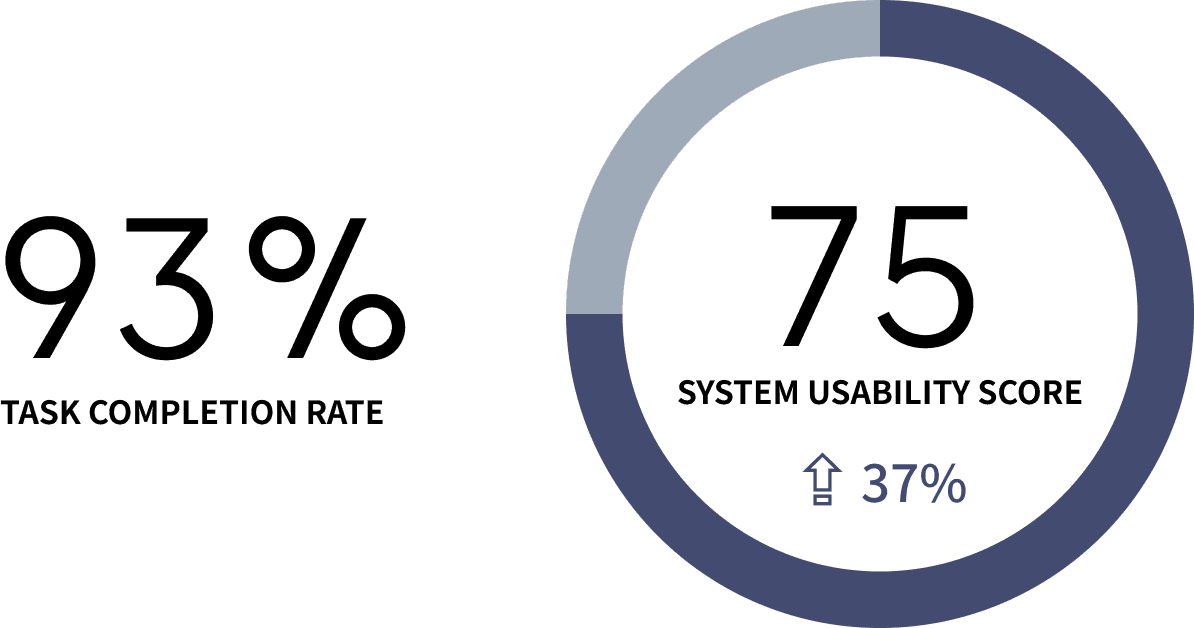
for my design, the task completion rate was 93%, and the average system usability score was 75 - meaning that usability had increased by 12 points (37%).

testing the designs

to make sure my designs were effective, i conducted unmoderated usability testing of two tasks with 15 target users on both the original site and my redesign.


for my design, the task completion rate was 93%, and the average system usability score was 75 - meaning that usability had increased by 12 points (37%).

iteration opportunities

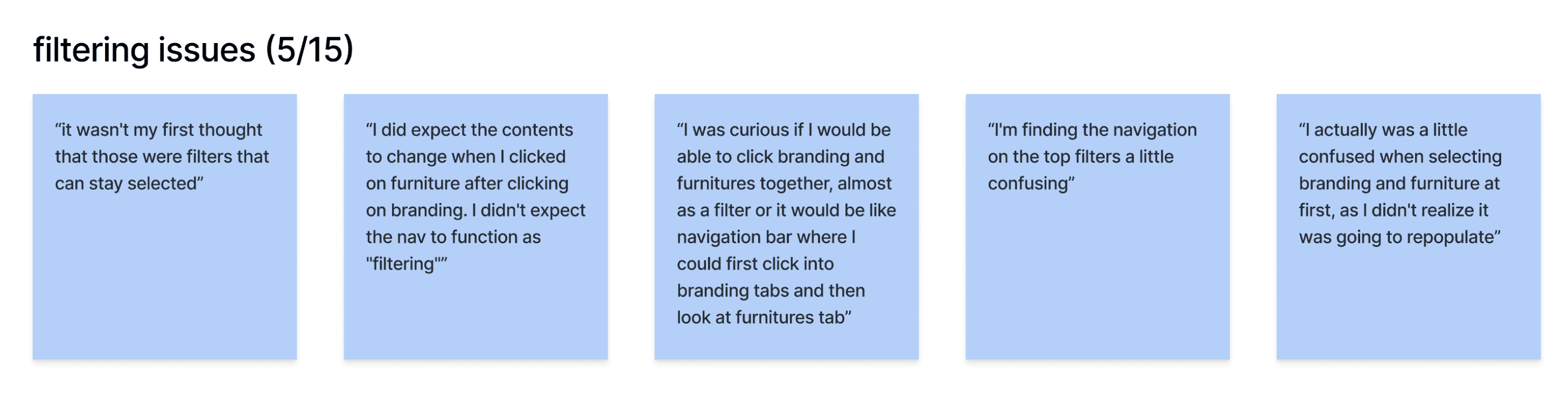
while users were generally able to complete the tasks without error, qualitative feedback revealed two main issues that i could iterate on:


  • the filter buttons being sticky on the home page

  • the lack of a back button on the product page

iteration opportunities

while users were generally able to complete the tasks without error, qualitative feedback revealed two main issues that i could iterate on:


  • the filter buttons being sticky on the home page

  • the lack of a back button on the product page

user problem

solution

don't make filter buttons sticky on the home page
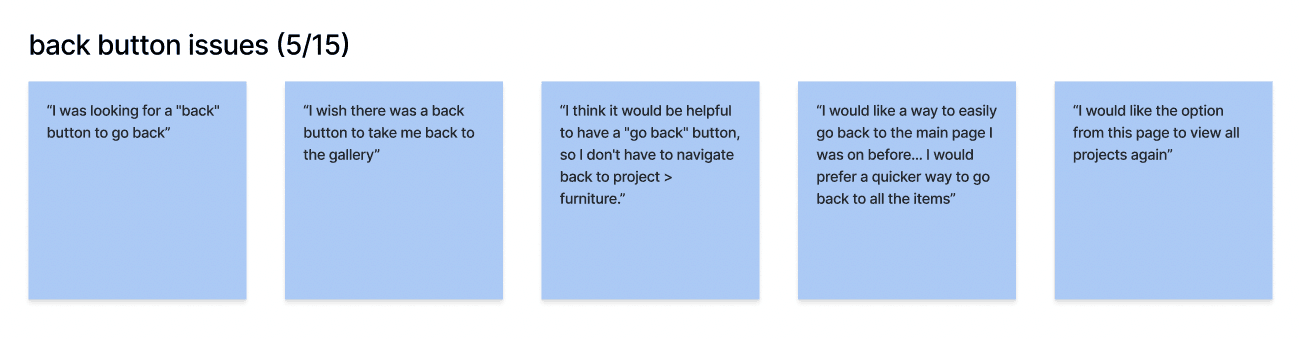
add a back button to the project pages

final design

after making the above tweaks to the design, and some minor visual adjustments based on client feedback, i finished my final prototype.

final design

after making the above tweaks to the design, and some minor visual adjustments based on client feedback, i finished my final prototype.

final prototype (open in figma

)

06.

conclusions

06.

conclusions

next steps

after successfully creating a usable design, my next step for this project is to implement the website and update the site with JB's latest projects.

next steps

after successfully creating a usable design, my next step for this project is to implement the website and update the site with JB's latest projects.

takeaways

remember the scope.

i was tempted many times during this project to explore updates that were out-of-scope (like fonts, colors, and new components) - but 9 times out of 10, indulging those changes would mean a snowball into a far bigger uplift.


research your design pattern.

there were a number of different UI elements that i could have used for information filtering, from checkboxes to dropdown menus. researching these patterns, and understanding why one was used over another, helped me decide on selection buttons.

takeaways

remember the scope.

i was tempted many times during this project to explore updates that were out-of-scope (like fonts, colors, and new components) - but 9 times out of 10, indulging those changes would mean a snowball into a far bigger uplift.


research your design pattern.

there were a number of different UI elements that i could have used for information filtering, from checkboxes to dropdown menus. researching these patterns, and understanding why one was used over another, helped me decide on selection buttons.

contact

e.alice.design@gmail.com

© æ design, 2026.

contact

e.alice.design@gmail.com

© æ design, 2026.

contact

e.alice.design@gmail.com

© æ design, 2026.

Create a free website with Framer, the website builder loved by startups, designers and agencies.